
2.1 Wallet Interface
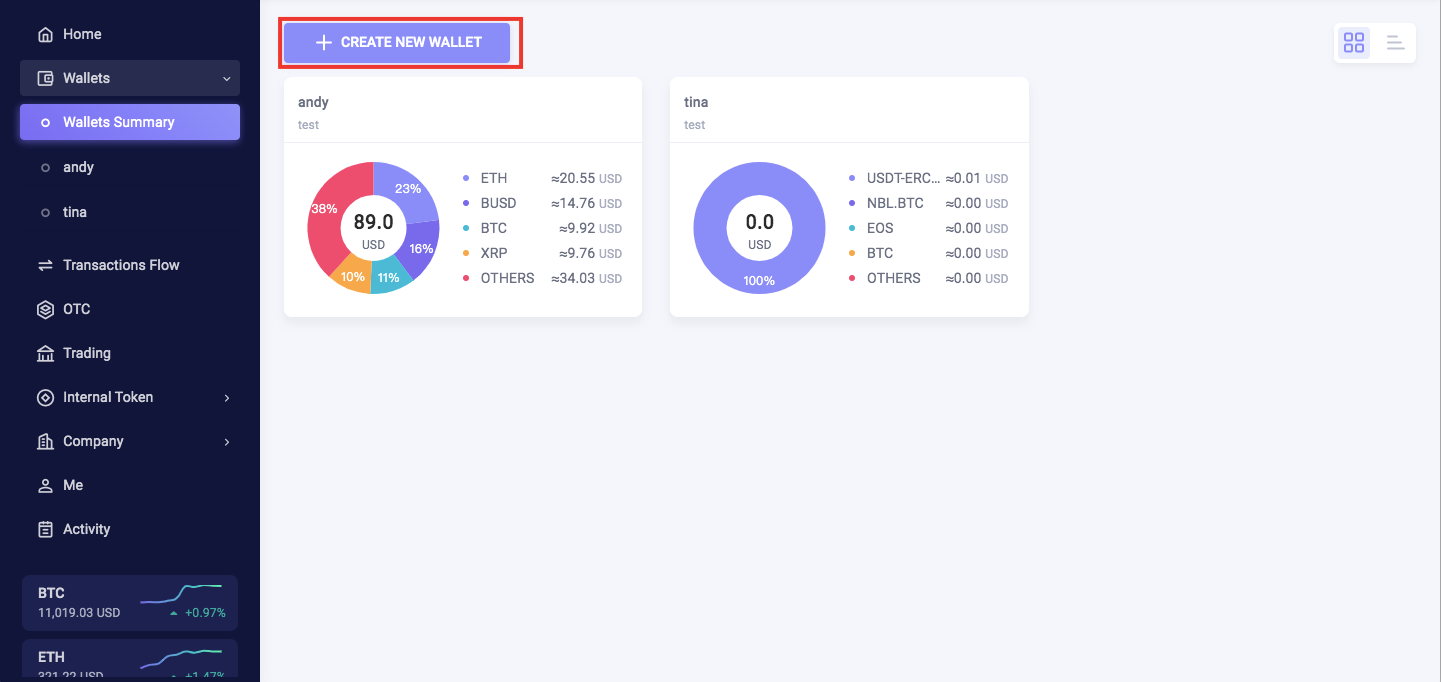
This page provides all the wallets created in the system.
The pie chart shows the proportion of different cryptocurrencies in each wallet. Also, the page provides the estimated value of total cryptocurrencies in USD.
2.2 Create Wallet
You are ready to create your wallet after the KYC verification process is complete.
The procedures to create a new wallet are provided below:
No wallets are created for new users by default. Individual users can create wallets manually. On the other hand, institutional users can invite team members in and assign them the role of administrator to manage existing wallets.
You will be able to view and manage the wallets that are authorized after you get invited in.
[CAUTION]: The password you set when you create the wallet is for the security of your assets, so please make sure to keep it in mind and be careful not to disclose it.
2.3 Wallet Best Security Practice
Here are best practices for the safe use of wallets:
- Set a Strong Password for The Wallet and Authorize it to a Secure Team Member.
It is recommended that a strong password be set to avoid it being guessed or cracked.
All withdrawals and sensitive operations of the wallet require providing the wallet password to identify the operator having permission to manage the wallet. Please keep the fund's password carefully and share it only with trusted team members.
- Operations Authentication: To Enable SMS Authentication Method.
The system comes with six levels of security authentication according to the risk and effect of the operations. The Google and SMS authentication methods are both required by default settings. The SMS authentication method is recommended to be kept all the time to ensure the highest security level.
- The Configuration of a Suitable and Reasonable Risk Control Strategy
There are two ways to set up a reasonable risk control policy according to your scenario:
- All outgoing payments need to be approved
- All outgoing payments over the limit need to be approved.
After the setup is complete, when the outgoing withdrawal triggers the risk control set up, approvals are needed to release the funds.
- Assign Appropriate Roles and Wallet Data Permissions
There are five types of roles in the system, and it is recommended to assign the suitable role according to the division of Team members.
The system supports multi-wallet management. Users can assign appropriate wallet data permissions to a team member to achieve the data isolation/business isolation purpose.
- Under Emergency Situations, Freeze the Funds with One Click
In case of an emergency, the administrator can freeze the wallet with one click. After the wallet is frozen, all operations affecting the wallet account will be prohibited except for deposits from outside. Users can also freeze their wallets to prevent anyone from accessing them in the future.
Comments
0 comments
Please sign in to leave a comment.